
Case study
2Work
Plan your shifts. Know what each one pays.
2Work is a native iPhone app for people who work shifts or more than one job. It tracks hours and estimates pay from each workplace’s own rules. After the first release, Finance adds a ledger of accounts and bills and works out what is safe to spend before the next payday.
- Role
- Product, design and engineeringSpec, architecture, app and tests
- Platform
- iPhone, iOS 17 or laterWidgets and a Live Activity
- Languages
- English, Hebrew and ArabicRight‑to‑left layouts, switchable in the app
- Status
- Version 1.0, pre-releaseNot on the App Store yet
Overview
Shifts and pay first, the rest of the money next.
2Work is for students, part-time and shift workers, freelancers and salaried employees whose income depends on the hours they work. It is built to join the two sides most tools keep apart. The first release covers the shifts and the pay, and Finance adds the rest of the money after that.
It is a single native iPhone app in Swift and SwiftUI, with a local-first SwiftData store and a Firebase sign-in shared with 2Study. Version 1.0 is in development and isn’t released, and details may change.
Problem
Five questions without easy answers.
- How much have I actually earned?
- What will I receive, and when?
- What money is already committed?
- What is safe to spend before my next income?
- How many shifts should I work next week?
People with irregular hours or more than one job struggle to answer these. Spreadsheets and budgeting apps either ignore work income or present estimates as facts.
Solution
From pay rules to what each shift pays, with the working shown.
-
Workplaces
Each job carries its real pay rules: hourly, monthly, per shift, commission or custom, with overtime tiers and weekend and night premiums.
-
Shifts
A live shift timer and past shifts produce earned pay, kept apart from planned and projected pay.
-
Ledger · coming soon
Accounts, cards, recurring payments and installments, with balances confirmed against what the bank says.
-
Safe to spend · coming soon
One deterministic figure up to the next income date, with a confidence level and the reasons behind it.
Principles from the product spec
- Fast
- Setup in under a minute, with detail added only when it’s neededIn Finance, an expense should take about three seconds to enter
- Honest
- Every figure is labelled confirmed, estimated or projectedGross pay is labelled “Before deductions (gross)” and never called take-home
- In control
- No generative model decides money or schedulesThe user approves every change. In Finance, corrections are visible transactions
- Private
- Local-first, so it works offlineNo bank connection in version 1
Inside the app
A month with 2Work.
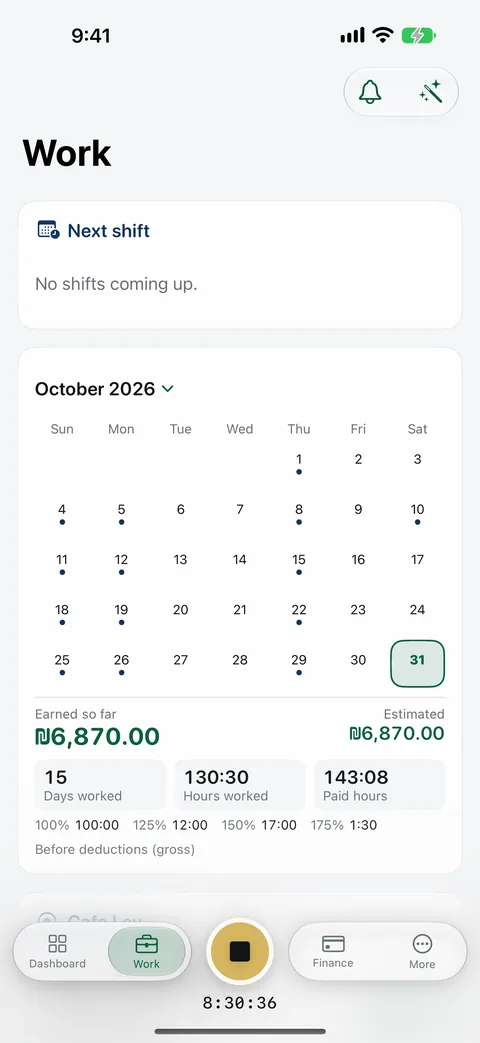
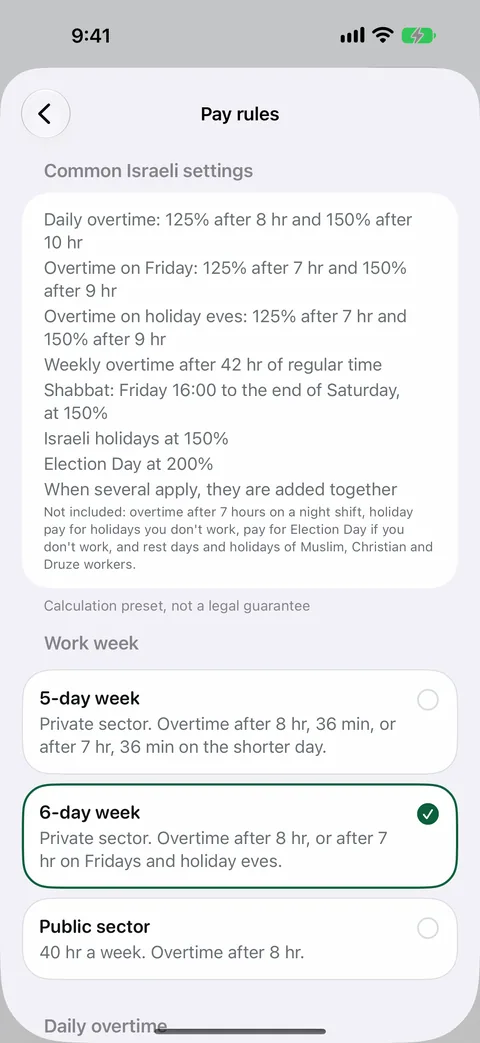
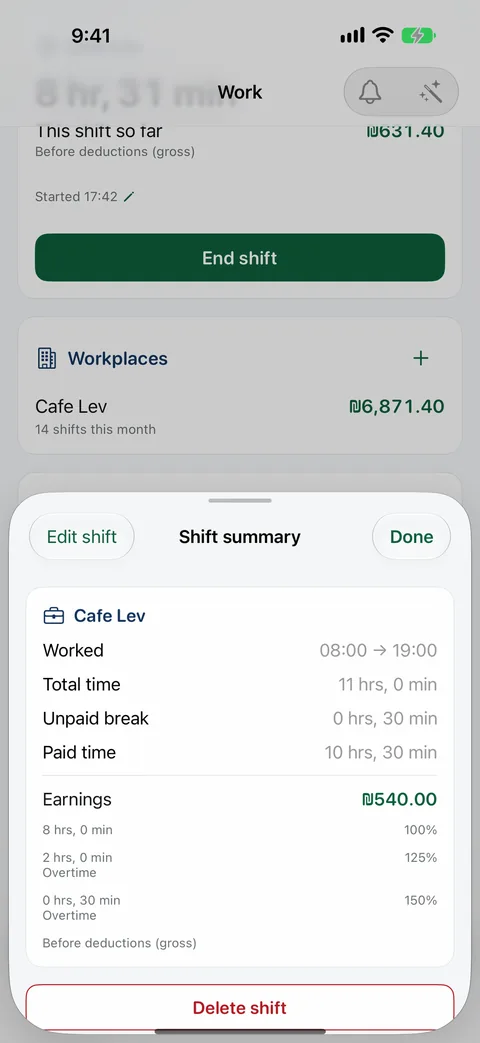
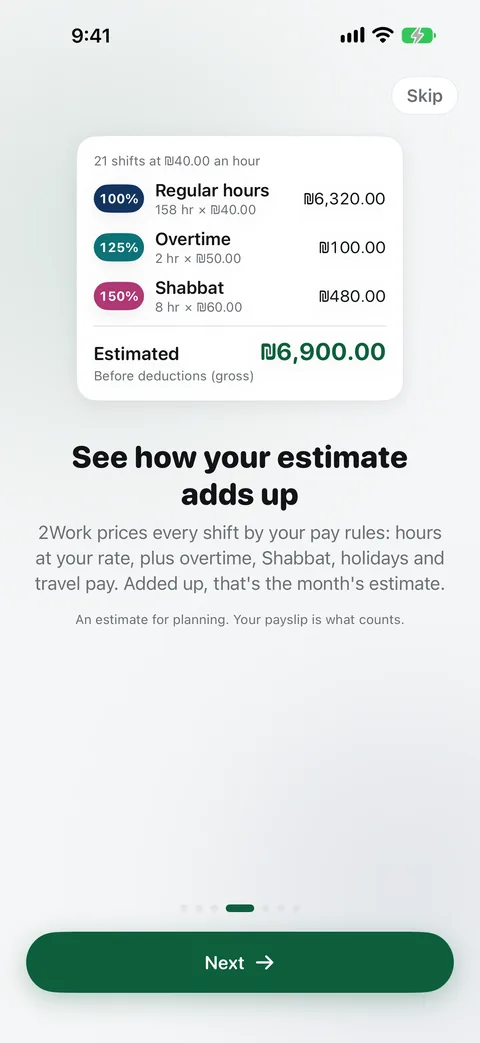
Screens from the pre-release build of version 1.0, with sample data.
Design
Calm, plain and readable.
Colour in 2Work has fixed jobs. Dark green means actions, income, savings and safe states. Dark blue means titles, work and structure. Red is kept for warnings, deficits, overdue items and destructive actions. Amber is only for the clock-in control.
Views ask for roles like income or deficit, never raw colours. The palette is stored as plain sRGB numbers so contrast can be checked in tests: dark green measures 7.7:1 on white, and the secondary grey 5.0:1.
Type is built from the system’s text styles, with the rounded design for titles and headline amounts, so Dynamic Type works, and amounts use monospaced digits so live figures don’t jitter. Spacing follows a named 4-point scale.
- Dark green#0E5F3C
- Dark blue#13345F
- Red#B31B25
- Clock-in amber#D9AD36
- Grey#6B7075
Interface rules
The app is light-only today. Dark mode and Increase Contrast aren’t built yet.
Key features
What’s in the first release, and what comes after it.
In the first release, version 1.0
Built, not released“Built” means implemented and committed on the development branch. None of it has been released yet.
-
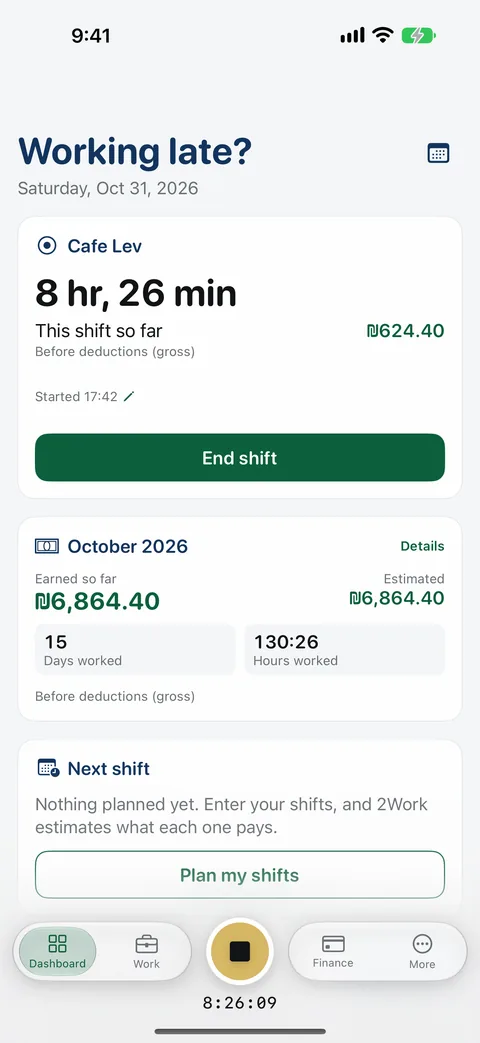
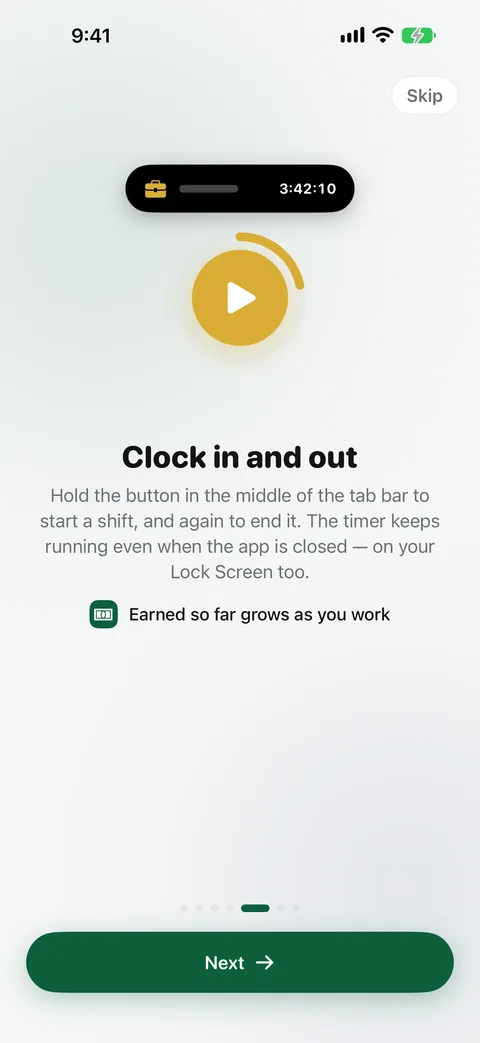
Clock in and out
Hold the button in the middle of the tab bar to clock in or out. With more than one job, holding asks which workplace. A live timer is saved immediately, so it survives a force-quit, and earnings run under it, equal to what clocking out would record.
-
Multiple workplaces
Each with its own settings and pay rules.
-
Five pay structures
Hourly, fixed monthly, per shift, commission and custom, on a gross or net basis with an optional take-home ratio.
-
Overtime and premiums
Daily and weekly overtime tiers, and weekend and night multipliers, including night windows that cross midnight.
-
A rate for one shift
One shift can carry its own pay percentage, with overtime added on top. Hourly pay only.
-
Israeli pay rules
A Shabbat rest window, holidays computed from the Hebrew calendar, and travel pay with an optional monthly cap.
-
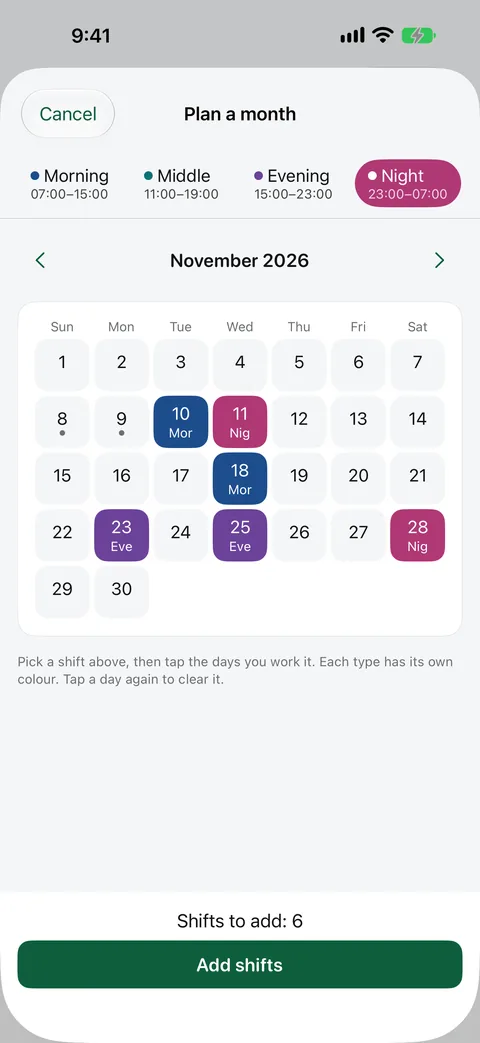
Month planner
Named shift types and a month grid to tap in a whole rota. Shift ends use wall-clock times, so daylight saving can’t add or remove an hour.
-
Next-week planning
Says so when a week can’t work instead of inventing one, drafts an availability message for a manager, and checks Apple Calendar for conflicts.
-
Paydays
A pay schedule for each workplace, so 2Work shows when pay arrives and which work it covers.
-
Calendar
Shifts, paydays and Apple Calendar busy times in one agenda and month view. Approved shifts export to Apple Calendar. Bills, installments and card due dates join them when Finance opens.
-
Shortcuts and Siri
Start Shift, End Shift and Open Next Week Plan, with six Siri phrases.
-
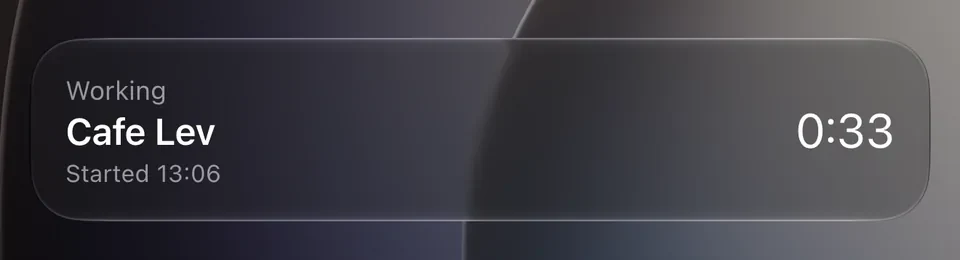
Widgets and Live Activity
Four widgets, Shift, Start shift, This month and Next week, and a Live Activity for the running shift that shows the workplace and the time, never amounts.
-
Privacy and export
Face ID lock with a privacy cover in the app switcher, JSON and CSV export, and Delete my 2Work data and Delete account inside the app.
-
Cloud restore
Signing in on a new iPhone reads the account back from the cloud and merges it record by record.
-
Shift times in 2Study
Each shift’s start and end times, and nothing else, go to 2Study on the same account, for the calendar and planner in 2Study 2.0, which isn’t released yet.
-
Free with ads
2Work is free, with a short ad when a shift starts or ends. Optional 2Work Pro removes the ads, and a bundle adds 2Study Pro.
Finance, coming after the first release
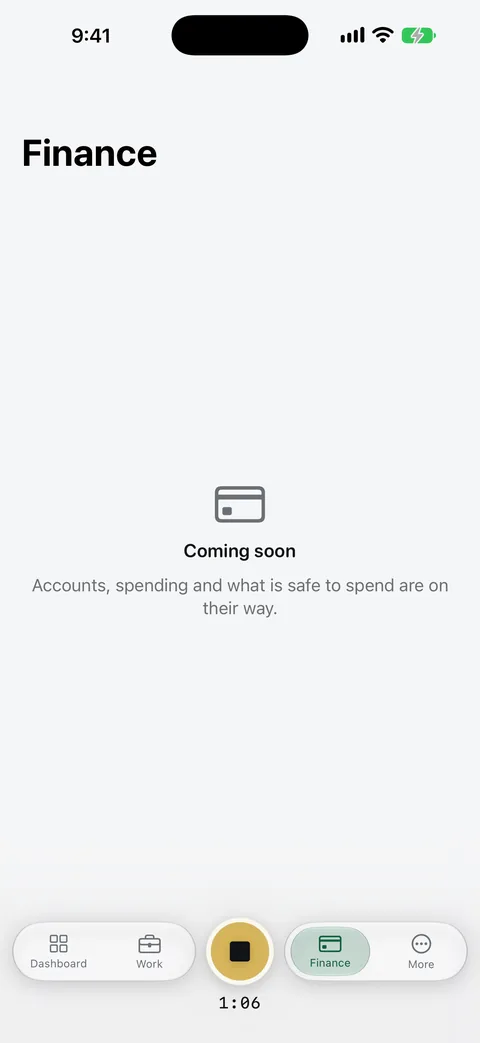
Coming soonBuilt on the development branch, but Finance stays switched off in the first release, where the app shows it as Coming soon.
Coming after the first release · How 2Work works out safe to spend
B plus I minus O minus S minus P minus R
- B
- Balance in spendable accounts
- I
- Confirmed income before the next payday
- O
- Committed payments due by then
- S
- Savings set aside
- P
- Protected minimum balance
- R
- Recovery reserve, if recovery mode is on
A negative result is shown as a shortfall, not rounded to zero.
9 Finance features, not in the first release
-
Finance ledger
Bank, cash, savings, debit and credit accounts, quick entry for expenses and income, undo, and computed card statements.
-
Commitments
Recurring payments and income with this-one, future or all edits, and installment plans, including ones that started before 2Work.
-
Balance reconciliation
Confirm balance compares 2Work’s figure with the bank’s and records the difference as a visible adjustment.
-
Safe to spend
Up to the next income date, with High, Medium or Low confidence and the reasons. Shortfalls are shown, never rounded to zero.
-
Savings, goals and Can I afford it?
Savings rules, long-term goals, and an affordability check with five possible verdicts that never records the purchase.
-
Finance redesign
Safe to spend until a named date with a one-tap breakdown, a short Needs attention list, and an upcoming timeline.
-
Money that moves
Transfers between accounts, card payments across statements, and refunds.
-
Paychecks
Mark received records a paycheck against its pay period.
-
Apple Pay and Siri
A signed Apple Pay shortcut that logs Wallet purchases, Siri actions for money with protection against duplicate entries, and the Safe to spend and Upcoming payments widgets.
Still open
Not finishedThese are still open on the development branch.
4 items still open
-
Live sync between devices
2Work restores the account when a session starts. It doesn’t yet pick up another device’s changes while the app runs, and there is no screen for resolving conflicts.
-
2Study classes in 2Work
2Work can draw classes and exams from 2Study and warn before a shift lands on one. Nothing shows yet, because 2Study doesn’t publish them.
-
Dark mode and Increase Contrast
The app is light-only, and the palette has no dark or high-contrast variants yet.
-
UI tests
There is no UI test target yet, and the real-device Shortcuts tests haven’t been run.
Architecture
Local first. Cloud second.
Everything is saved on the device first and synced later. The core logic lives in a local Swift package whose layers the package graph enforces: TwoWorkDomain has no package dependencies and never touches SwiftData, SwiftUI or the Firebase SDK.
iPhone app
2Work, in SwiftUI
- Four tabs and a clock-in control, an @Observable model per feature
- One shared dependency container
- App Intents and Siri
- Widgets and Live Activity extension
Local Swift package
TwoWorkCore
TwoWork
- Pure, deterministic logic
- Pay, planner, safe to spend
- No package dependencies
TwoWork
- Colour roles, type, spacing
- Shared components, no copy
- Depends on the domain
TwoWork
- SwiftData records
- Repositories and the outbox
- Depends on the domain
On the device
SwiftData store and outbox
- The source of truth, with file protection
- Versioned schema
- Each queued write commits with its record
- Works with no connection
In the app
Sync engine
- A Swift actor behind a transport protocol
- Retries back off, capped at 5 minutes
- Set aside after 8 failed attempts
- Deletes sent as merged tombstones
Cloud · shared project
Firebase
- Authentication: one account with 2Study
- Firestore: 2Work’s own namespace
- App Check installed with DeviceCheck, not enforced
- 2Work’s security rules are live
2Study shares the account, a small profile and each shift’s start and end times, never 2Work’s financial data.
Sync sends each queued write, and a restore reads the whole account back when a session starts. Another device’s changes don’t arrive while the app runs yet. The release build requires an account; a build without a Firebase configuration runs entirely on the device.
Decisions that shape it
- Money
- Whole minor units with decimal maths and explicit roundingSync has no floating-point type, so a double can’t reach the ledger
- Derived values
- Recomputed from source records, never storedBalances, statements, commitments, month totals and safe to spend
- Time
- An injected clock and calendarEvery calculation is deterministic and testable
- Seams
- Apple and Firebase APIs behind protocolsTests use fakes for calendar, sync and sign-in
- Widgets
- One snapshot, written by the appThe widget extension reads it and computes nothing
- Intents
- One shared containerSiri and Shortcuts never open a second database over the same store
Technology
The stack.
- App
- System
- Backend
- Firebase iOS SDK 12. The app calls no Cloud Functions. A webhook in the shared project records purchases.
- Services
- Quality
Localization
Three languages, switchable in the app.
-
English
-
עברית
-
العربية
- App catalog
- 1,655 string keys1,650 translated into Hebrew and Arabic
- Widgets
- 33 string keysAll translated
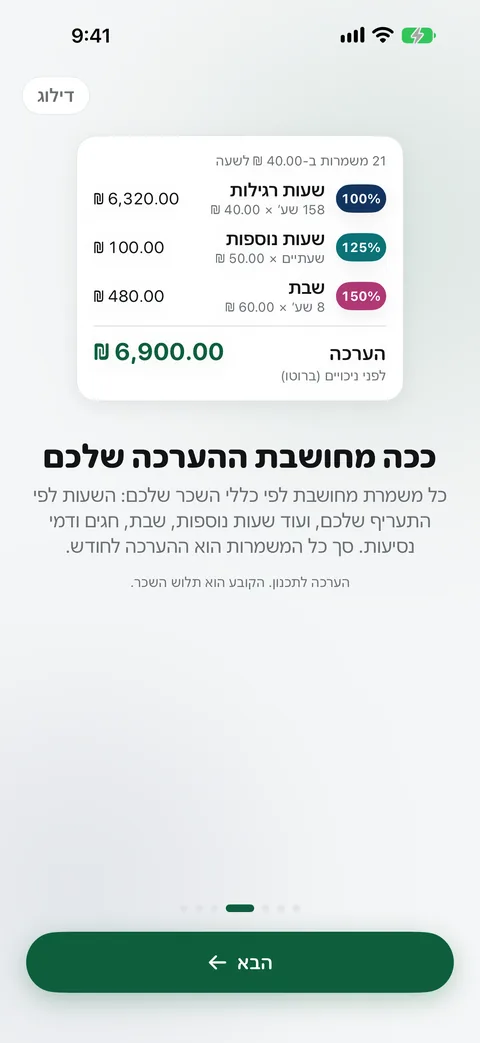
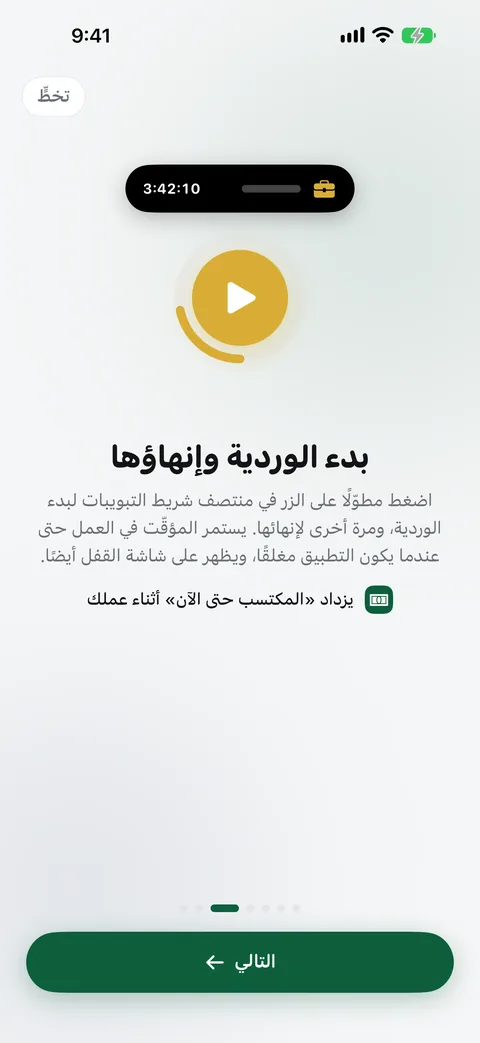
The first-launch tour in the pre-release build of version 1.0, with sample data. Both run right to left.
-
Switch without restarting
The language changes in place with a short crossfade. It takes two mechanisms, a swap of the main bundle’s class and a String(app:) helper, because String(localized:) ignores bundle overrides. Tests pin both.
-
Amounts parsed by grammar
Money input has its own grammar that accepts Arabic-Indic digits and each locale’s own separators. Foundation’s decimal parser misread amounts under ar_EG, so it isn’t trusted with money.
-
Timers that read correctly
The Live Activity uses a numeric timer, because the built-in timer style spells durations out in Hebrew.
-
System prompts follow the app
The chosen language is passed to the system, so permission prompts from iOS match it.
-
A translation test that tests
The test meant to prove every string is translated checked only 11 of 235 keys. It now reads the compiled table.
-
Known gaps
After an in-app switch, open sheets stay left to right until the next launch, and a string that never reached the catalog still ships in English.
Engineering challenges
Problems worth solving.
-
A thousand-times money bug
“1,250” was saved as 1.25 in quick entry and in the wage field, in English too, and with no error, because the parse succeeded. Measuring Foundation’s Decimal.FormatStyle showed the same class of bug: under ar_EG it read “1,250” as 1.25 and “45.5” as 45, and a lone “.” parsed as 0. An explicit money grammar replaced both, with tests that include Arabic-Indic digits.
MoneyInputTests
-
Sharing a live Firebase project
2Work signs in to the same project 2Study’s users depend on. Its data lives in its own namespace. Outside it, 2Work writes a small slice of the shared profile and each shift’s start and end times, and that contract is written as tests. Its rules were written against the ruleset actually deployed, not the repository copy that held unreleased 2Study changes: a purely additive block, now live.
EcosystemContractTests
-
A transactional outbox
Repositories queued sync writes directly, so editing a shift ten times queued ten writes. Queuing moved into the same transaction as the record, which also fixed an ordering bug that could strand the queue on an old revision. The new tests were confirmed to fail against the old code.
RepositoryOutboxTests
-
Reading the rules before writing sync
Reading the security rules first caught three rejections before they happened. Deletes became merged tombstones, updates became merges rather than replacements, and empty values are left out instead of being sent as null, which the money check would reject.
-
Pay that adds up to the minute
Paid time is cut wherever the rate could change, at night windows, weekends and holidays, then split again at overtime thresholds. Every minute lands in exactly one segment and earns the higher of its daily or weekly overtime tier, never both.
-
Daylight saving and rounding
A test helper moved a night shift by exactly 86,400 seconds, the very bug the test existed to catch. Separately, decimal rounding “up” and “down” turned out to mean ceiling and floor, which inverted rounding for negative amounts.
-
A data-migration trap
A staged SwiftData migration failed with error 134504 because the old schema had never been frozen: it pointed at the live model classes. It was replaced with an additive migration. The schema was then frozen on 23 October 2026, with a test pinning every model’s version hash, and a later version added one column through a tested migration stage. A missing folder in fresh installs had also made the store silently fall back to memory.
-
Defining safe to spend precisely
The formula in the spec left several terms undefined, so six decision records pin them down, including a rule that no take-home or spending figure comes from gross pay. They closed traps such as a card installment counted twice with the wrong sign, and rent that dropped out of committed money 20 minutes after it fell due.
-
Siri without duplicates
Shortcuts run inside the app against one shared container. Duplicate purchases are caught with SHA-256 keys salted per user, because Swift’s built-in hashing changes every launch. A review found that the “record it anyway” override silently dropped a third identical purchase, and it was fixed.
-
An app lock that doesn’t lock you out
The Face ID prompt makes the app inactive and then active again, which triggered another prompt, and the switch to turn the lock off was behind the lock. The decision moved into one pure rule with 8 tests.
AppLockTests
-
Making the test run trustworthy
The test script reported success even when a suite failed, and the default test action ran 22 of 400 tests because the package suites weren’t in the scheme. Both were fixed.
Testing
Logic first, tested first.
-
1,975
Tests on the development branch
Swift Testing functions committed on the development branch, in 163 suites.
-
1,144
Domain tests
Pay, planning and finance logic, run on the Mac with swift test.
-
646
App tests
On the iOS simulator: the App Group, app lock, sync engine and localization.
Counted from the sources on the development branch on 5 November 2026; parameterized tests count once. The last recorded full run, on 4 November 2026, before the latest commits, ran 1,964 tests: 1,960 passed, and 4 widget-snapshot tests failed with the App Group unavailable, in a run with code signing off. The last run recorded with every test passing, on 28 October 2026, had 1,953 tests. 2Work’s security rules are tested in the 2Study repository. There is no UI test target yet.
-
The 2Study contract as tests
The assumptions 2Work makes about 2Study’s shared data, its own namespace, the required age and the profile fields it may write, are executable tests.
-
Contrast checked in code
The WCAG contrast of every text colour role in the palette is asserted in tests.
-
Tests proven to fail
The outbox tests were confirmed to fail against the old code before the fix went in.
-
Run twice
The package suites run on the Mac for speed, and again on the iOS simulator as part of the app scheme.
Platform support
Built for iPhone.
- iPhone
- iOS 17.0 or laterThe minimum SwiftData and Observation need
- Extensions
- Four widgets and a Live ActivityThe running shift on the Lock Screen and in the Dynamic Island
- iOS 26
- Liquid Glass tab barBehind an availability check so iOS 17 keeps working
- Toolchain
- Xcode 26.6 or laterThe last recorded Release build used the iOS 27 SDK. The core package also builds on macOS 14, for fast tests
- Not planned
- iPad, Mac and webiPhone only on Apple devices, by design
Current status
Where it stands.
- 1.0 · iPhone Pre-release, on a development branch. 75 commits between 4 August and 5 November 2026. In development
- Public build Not on the App Store yet. Not available
- Finance Built and switched off. The app shows it as Coming soon. Coming soon
Before release
-
Test account deletion
Delete my 2Work data and Delete account depend on a change to the shared security rules. It has to be live and tried on a real account.
-
Test on a real iPhone
Sign-up, clocking in and out, and sandbox purchases on a TestFlight build.
-
Clear App Review
Apple has to approve the build and its in-app purchases before 2Work can reach the App Store.